👋 Getting started
What happens when you open Polyfox — wallet creation, the $10 deposit minimum, and your first steps. No commitment before you see everything.
You can open Polyfox and look at everything before you spend anything. Opening the bot is free, browsing is free, and nothing is charged or traded until you deposit and set something up yourself. This page walks through your first session, in order.
In 10 seconds
- Opening and browsing are free — no deposit needed to look around.
- Deposit minimum $10 (USDC or USDT, 6 networks); minimum per trade $1.
- You can export your private key at any time and use the wallet anywhere.
- Nothing is traded until you deposit and set something up yourself.
Step 1 — Open the bot
Open Polyfox in Telegram and press Start. The bot creates a wallet for you — a normal Polygon wallet with its own address and private key. Two things to know:
- The wallet is yours. You can export its private key at any time and import it into MetaMask or any other wallet. See Security.
- Nothing else happens. No deposit is required to look around.
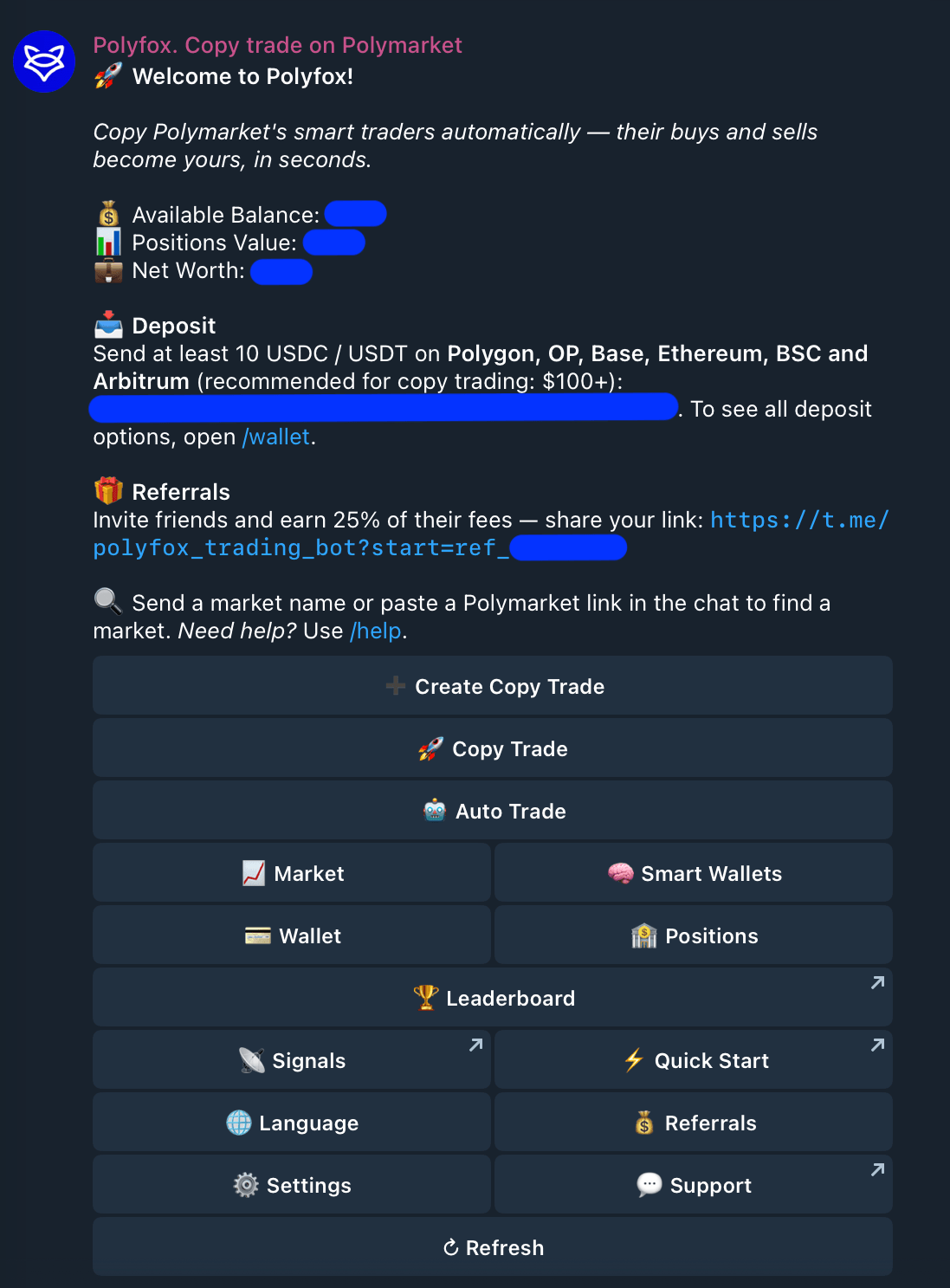
From the main menu you can already browse Markets, the Smart Wallets list, and the leaderboard — all without funding anything.
Step 2 — Fund your wallet (when you're ready)
To place real trades you need a balance:
- What to send: USDC or USDT on Polygon, OP, Base, Ethereum, BSC or Arbitrum.
- Minimum: $10.
- Arrival: usually credited within a few minutes. Your deposit is converted to pUSD automatically — the dollar token Polymarket trades settle in; your balance simply shows in dollars — and the bot messages you when funds are ready.
- Fees: a flat 1% per trade — no subscriptions, no deposit fees. Browsing costs nothing.
The full flow — including the unsupported-token warning and how to check arrival yourself on a block explorer — is on the Deposits page.
Why does the bot suggest $100+ for copy trading? Copies are sized in proportion to the trader you copy, and any copy under the $1-per-trade minimum is skipped — so with a very small balance, many copies get skipped and the copy tracks the trader loosely. $10 is enough to try the product. Deposit only what you are comfortable risking; positions can lose all of their value.
Step 3 — Choose how you want to use it
- Copy a trader. Open Smart Wallets, pick a wallet, review its stats (historical data, not a forecast), and set up a copy with your own size and limits. See Copy trading.
- Trade yourself. Browse or search markets and take a position directly. See Markets.
- Automate a simple rule. Auto Trade enters recurring crypto UP/DOWN rounds — short, repeating markets on whether e.g. Bitcoin ends the next interval higher or lower — when your conditions line up. See Auto Trade.
Things you can check before committing anything
- Your deposit address is a normal on-chain address — inspect it on PolygonScan from the Wallet screen.
- You can export your private key from Wallet → Export Keys before you deposit a single dollar.
- You can set an optional funds password (Wallet → Password Protection) that is then required for withdrawals, key export and wallet deletion. See Security.
- Withdrawals are self-serve and documented in full on the Withdrawals page.
- Prediction-market access is regulated differently around the world — checking that using Polymarket and tools like Polyfox is lawful where you live is on you. See Legal notes.
Next steps
Last updated on
🦊 Polyfox — Telegram terminal for Polymarket
Polyfox is a Telegram trading terminal for Polymarket — your own wallet, every market tradeable from chat, and copy trading under limits you set.
💳 Deposits
USDC or USDT on six supported networks, $10 minimum, arrival within a few minutes with a notification — and how to verify your deposit on-chain yourself.