💳 Deposits
USDC or USDT on six supported networks, $10 minimum, arrival within a few minutes with a notification — and how to verify your deposit on-chain yourself.
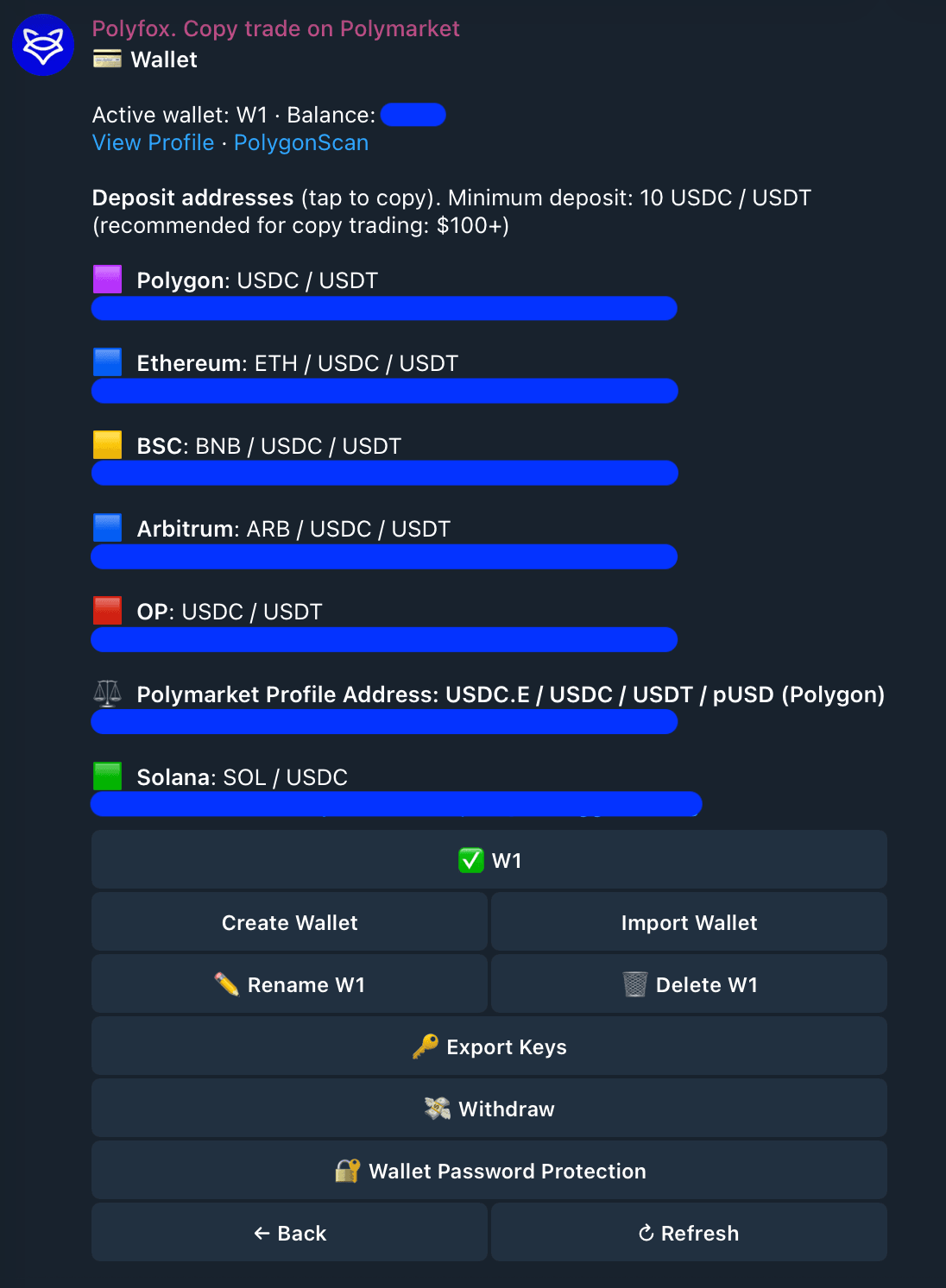
To fund your wallet, send USDC or USDT to your deposit address. The address belongs to your own on-chain wallet, not a shared company account. You can watch the transfer arrive on a block explorer, and the bot messages you when the money is ready to trade.
In 10 seconds
- Send USDC or USDT on Polygon, OP, Base, Ethereum, BSC or Arbitrum — the same address works on all six.
- Minimum $10 per deposit; the address stays the same, reuse it forever.
- Usually credited within a few minutes, auto-converted to pUSD — the dollar balance you trade with.
- The bot notifies you when funds are tradeable; nothing to claim or convert manually.
Unsupported token or network = lost funds
If you send an unsupported token, or use a network outside the list above, the funds cannot be recovered. Before you confirm in your exchange or wallet, compare the token (USDC or USDT) and the network name in the selector, letter for letter, against the list on your 💳 Wallet screen. Still unsure after checking? Send a small first deposit — the $10 minimum applies per deposit, so test with $10 before sending the rest. The minimum is real, too: it is the bridge's checkout floor, and a transfer under $10 may not be credited — never send less.
How to deposit
- Open 💳 Wallet in the bot (or type
/wallet). Your deposit address is shown there — tap it to copy. If you see "your deposit address is being created", wait a minute and tap ↻ Refresh; the bot messages you when the address is ready. - Send USDC or USDT ($10 or more) from your wallet or exchange, on one of the six supported networks. Double-check the token and the network selector before you confirm.
- Wait for the notification. Deposits are usually credited within a few minutes of confirming on-chain. Deposits on networks other than Polygon go through Polymarket's own bridge, so they can take a little longer. Polyfox charges nothing on deposits.
What happens after you send
- Detection. The transfer confirms on-chain and the bot picks it up. You can watch it land on the block explorer yourself at any time.
- Automatic conversion. Whatever you sent (USDC or USDT, on any supported network) is converted into pUSD for you. pUSD is the dollar token that Polymarket trades settle in — every Polymarket position is bought and sold in it, whichever app you use. Your balance simply shows in dollars, and when you withdraw it converts back into the asset you choose (e.g. USDC). There is no manual "convert" step in either direction.
- Notification. You get a message when the deposit is detected, and another when your balance is ready to trade. Even if you deposit and walk away, the funds become tradeable on their own.
"It's been 10 minutes and I see nothing"
- Check the transaction on the sending network's block explorer (e.g. PolygonScan for Polygon) — paste your deposit address. If the transfer shows there, the money is on your address; detection and conversion follow.
- On the Wallet screen, use the deposit check to re-poll status.
- A deposit that is detected but not yet tradeable shows as pending — confirmations or conversion are still in progress.
- If the transfer does not appear on the explorer at all, it has not left the sending side (or went out on a different network than you think). Check your exchange's withdrawal status and network choice.
- Still stuck? Ask in 💬 Community from the bot menu.
Where your funds actually sit
Deposits land on your own wallet and its linked Polymarket deposit wallet — on-chain accounts tied to your keys, visible to anyone on PolygonScan. Polyfox is non-custodial; operations run under signing permissions you grant, and you can export the key at any time and control the same funds from any wallet. Details in Security.
Why one address but only six networks? The same address exists on every compatible network, but deposits are only detected and processed on the six supported ones. Money sent on any other network ends up at that address on a chain the bot does not operate on — which is why it cannot be credited or recovered. The network dropdown in your exchange is the thing to double-check.
How much should I deposit?
$10 is the minimum, and it is enough to try manual trading. For copy trading the bot suggests $100+, because copies are sized in proportion to the trader you copy, and with a small balance the sized copies come out tiny — skipped below your per-trade minimum, or bumped up to the $1 platform floor — so the copy tracks the target's proportions poorly. A larger balance copies more faithfully. Deposit only what you are comfortable risking. See Copy trading.
Next steps
Last updated on